OSC
The OSC package lets your Grid modules talk to any software that speaks OSC (Open Sound Control) — synths, DAWs, lighting desks, visuals, TouchOSC layouts.
Grid sends OSC when you use a control, and can receive OSC to update a control's value or LED from the outside.
Setup
Install the package from the Package Manager, then select it in the left sidebar to open the OSC Preference panel.
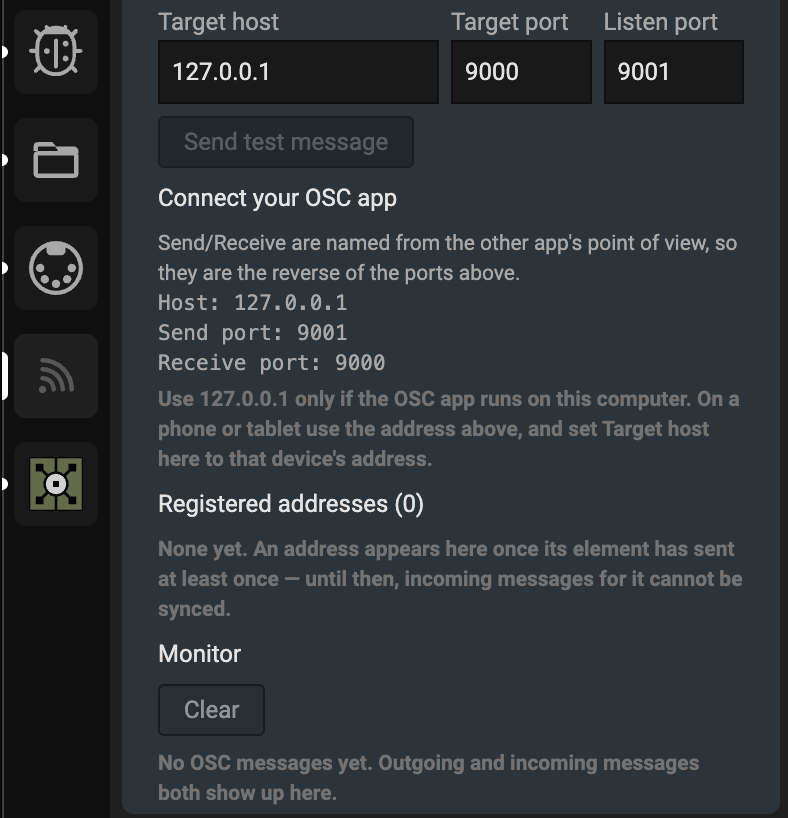
| Setting | Default | Meaning |
|---|---|---|
| Target host | 127.0.0.1 | Where Grid sends to |
| Target port | 9000 | Port Grid sends to |
| Listen port | 9001 | Port Grid receives on |
A green dot next to the title means it is ready.
Most OSC apps name ports from their own point of view, so they are the opposite of the settings above. In TouchOSC, Send port is Grid's listen port (9001) and Receive port is Grid's target port (9000).
The Connect your OSC app section shows the exact values to type in, including your computer's network address — use that instead of 127.0.0.1 when the app runs on a phone or tablet.
Send OSC Message
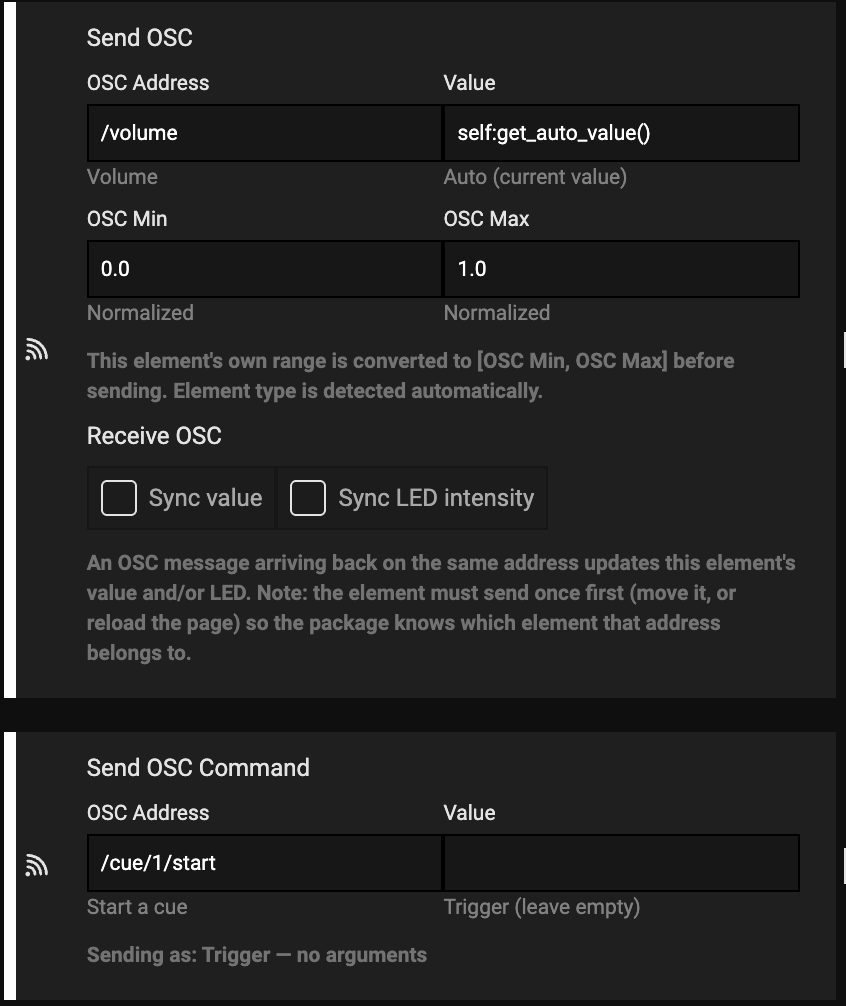
Sends the current value of the control it sits on — encoders, faders, potmeters and buttons.
- OSC Address — where to send, e.g.
/volume - Value — what to read, defaults to the control's live value
- OSC Min / OSC Max — the range your software expects, usually
0.0to1.0
The control's own range and element type are detected automatically, so a fader with a 0–127 range still sends 0.0–1.0.
Send OSC Command
Sends one fixed message instead of a control's value — transport commands, cues, mutes, mode changes, labels.
The type is detected from what you type, so there is nothing to pick:
| You enter | Sent as |
|---|---|
| (empty) | Trigger, no arguments |
"Hello" | String |
true / false | Boolean |
1 | Integer |
0.5 | Float |
The block shows the detected type as you type.
Receiving OSC
On the Send OSC Message block, enable either or both:
- Sync value — moves the control's value
- Sync LED intensity — updates the LED brightness
When your software sends back on the same address, the value is converted to the control's range and applied.
A control must send once before it can receive. Move it once, or reload the profile, and incoming messages for that address will work from then on.
Checking it works
Send test message sends /grid/test to your target to confirm the outgoing path.
The Monitor lists every message in and out with its address and arguments. OSC fails silently — a wrong port, address or argument type all look the same — so the monitor is the quickest way to see what is really happening.