Simple Intensity
- About LED Color
- Reference Manual Entry
Simple Color is an action block for controlling only the intensity of an element's LED. It makes it easy to control the LED intensity of one element from another element.
Since the Simple Color block already contains the Intensity information, you only need to use Simple Intensity when you want to define how the LED intensity should behave.
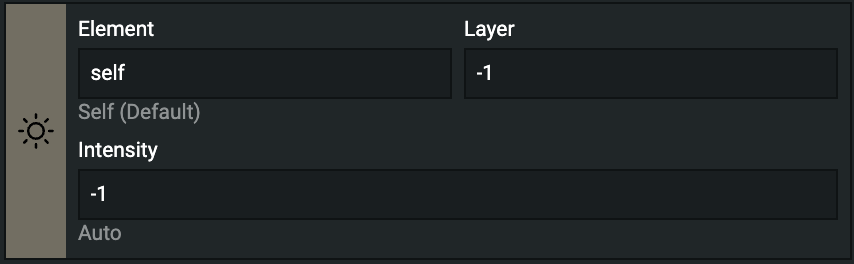
Simple Intensity Block
The Block has several fields you can configure:
- Element (hidden in Minimalist mode): defines which LED the Block should affect.
- Layer (hidden in Minimalist mode): can be either 1 or 2. The final color is based on the mix of both layers.
- 1: button and potmeter event layer
- 2: encoder and endless event layer
- Intensity: Led Intensiry value.
LED color
led_value
- shortname: glp
- How:
led_value(layer, value)- layer: integer, ranging 1...2 or -1 for auto update
- value: integer, ranging 0...255 or -1 for auto update
- What: This function sets the LED light intensity according to the parameter called
value. When this function is called without a parameter, it returns thevaluevalue of the control element. - Example:
self:led_value(1, -1)