MIDI RX (receiving)
- About NRPN MIDI
- Reference Manual Entry
Description
MIDI RX (MIDI Receive) allows your controller to react to incoming MIDI messages from software or hardware. It can update LEDs and control elements in real time, keeping your controller synchronized with your setup.
Parameters
The MIDI Block includes an LED and element value sync feature. If your DAW or hardware sends back the same MIDI message that the element transmits, the controller automatically keeps the LED state and element value synchronized.
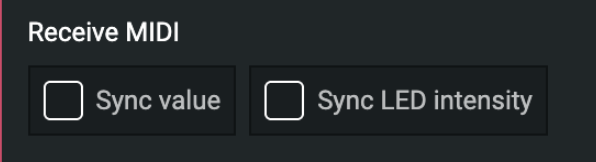
MIDI block receive checkbox
Tips for Using MIDI Sync
- Absolute Mode: Sync both the element value and LED intensity.
- Relative Mode: Sync the LED intensity and disable Auto Intensity Update in Simple Color.
- Button (Toggle) Mode: Usually, only LED intensity sync is required.
- Button (Momentary) Mode: Sync both the element value and LED intensity, and disable Auto Intensity Update in Simple Color.
Relative Mode Example:

Encoder mode: Relative.

Simple Color block: turn off auto intensity.

Receve MIDI: Sync LED intensity
self:midirx_register(-1, ch, command, param1, { --[[value_sync]] true/false, --[[led_sync]] true/false }, 0)
-- value_sync: enables value synchronization
-- led_sync: enables LED synchronization