More about: File Manager
Grid Editor v1.6.6 is the first version including File Manager. This is a first release, changes may happen.
Overview
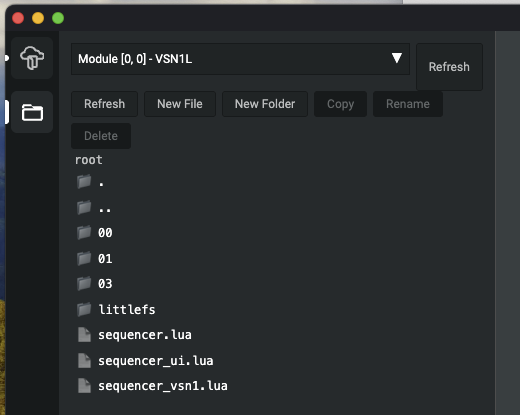
To enable the File Manager, go to Package Manager and hit enable.
With the File Manager, it becomes possible to:
- Read in files from module
- Create lua files on module
- Browse and traverse the file system of the module
- Rename, Copy, Delete files on module
The largest impact of the File Manager is the ability to upload configurations which are longer than 900 character.
File on module
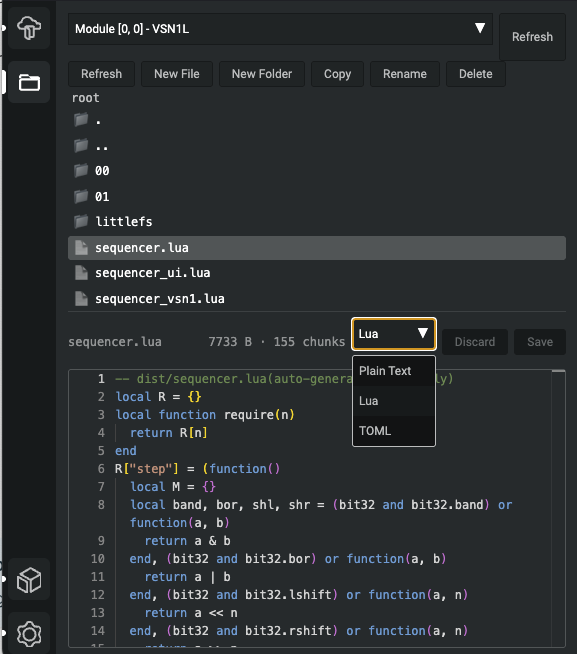
- You can see the size of a lua file in the form bytes
- The file view format can be changed
- A file's changes can be either saved or discarded
How to use, File Manager example
- Create a file on your module named
test.lua. - Create a lua module on module root, which can be required
-- Paste this into "test.lua"local Module = {}function Module.testPrint(param)print(param)endreturn Module
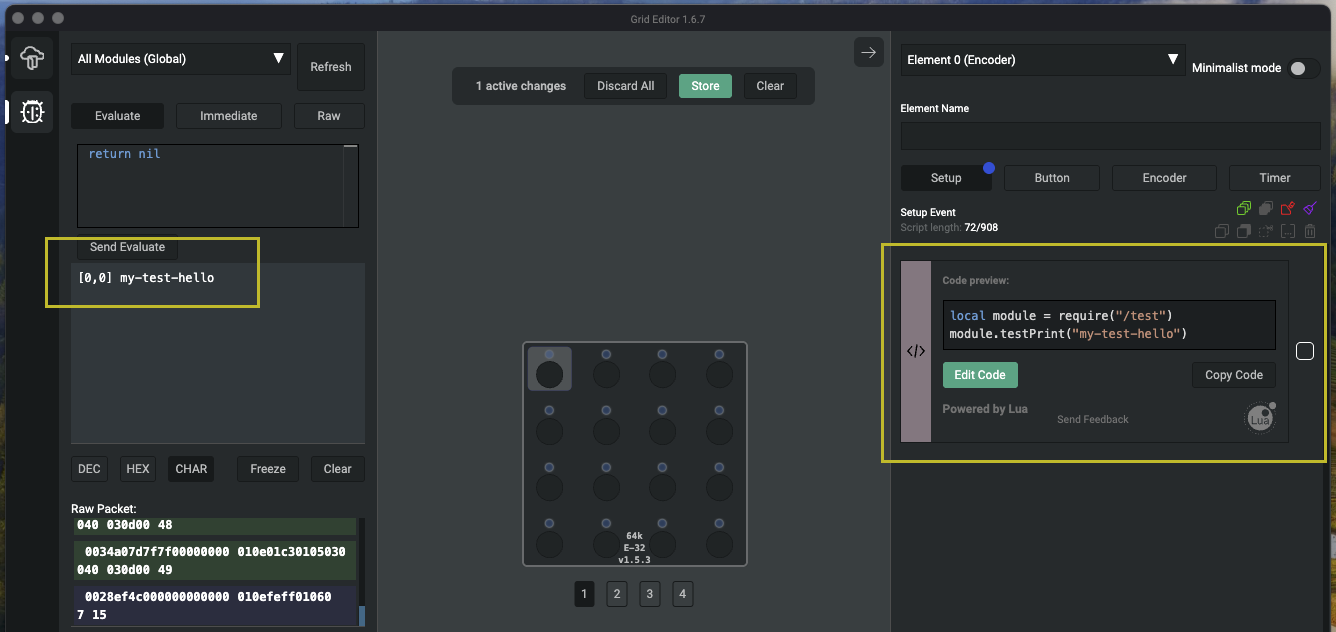
- On a control element,
requirethe file using the standard lua I/O library and call the test function. Omit the .lua extension.local module = require("/test")module.testPrint("my-test")
File saving under profiles
Since Grid Editor v1.6.9, profiles can include files from the module's file system. This lets you bundle Lua modules, data files, or any other file alongside your element configurations in a single profile.
Only files inside a page folder — the hexadecimal page directories on the module root filesystem (e.g. 00, 01, 1F) — are saved into the profile, and only at the top level of each page folder (non-recursively).
When a profile containing files is loaded onto a module, the target page's existing files are cleared first. The profile's files are then written in their place, ensuring a clean state for the incoming configuration.
In the profile picker, profiles that include files display an indicator showing that they contain additional file data. Loading such a profile will overwrite the module's page-level files with the files stored in the profile.
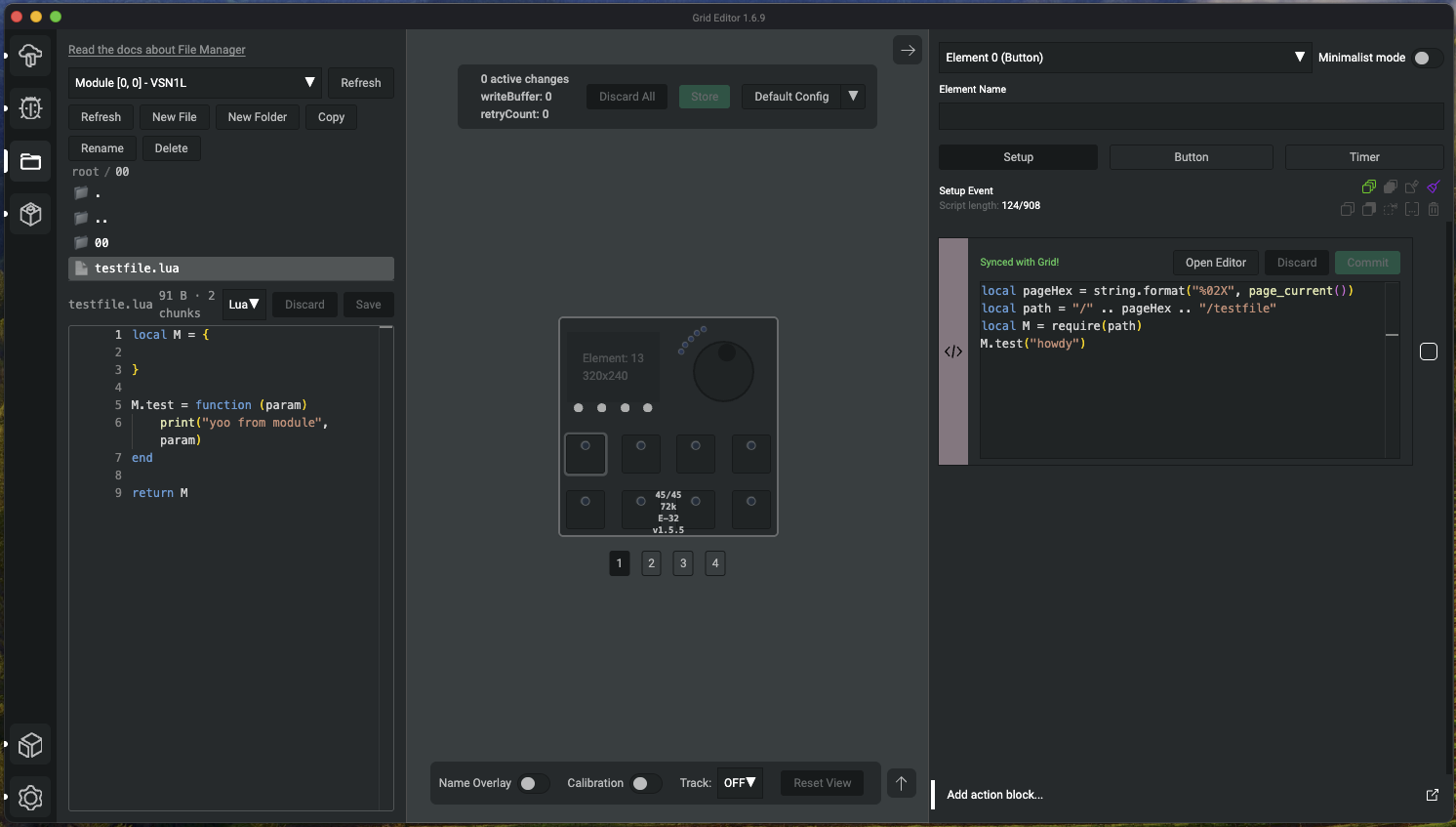
How to write reusable module calls
As files belong now under pages within the Profile Cloud, if you want to create reusable profiles, which can be uploaded onto any pages, you must be mindful about requiring the files. They important bit is to use the current page number to build the path to the file.
local pageHex = string.format("%02X", page_current())
local path = "/" .. pageHex .. "/testfile"
local M = require(path)
M.test("howdy") -- assuming the testfile.lua has exported function "test"
Tips
- During development & testing, we found a sweetspot to create lua files which are under 15000 bytes. You can get away with large lua files, but pay attention to how much memory given module requires during runtime. A module often consumes more memory during initialization, while the luaVM doesn't run garbage collection.
- After calling and initializing your custom files, aim for on-module memory consumption of 135kb or less
- Increase the complexity of your code gradually. Although character limit is not stict, the memory constraint of Grid is a real constraint.
- You may need to manually call
collectgarbage("collect")in your code - Use version control for your files to backup
- If you break you configuration, you can perform an NVM erase on the module by quickly pressing the utility button right after connecting the USB cable.
File Manager story
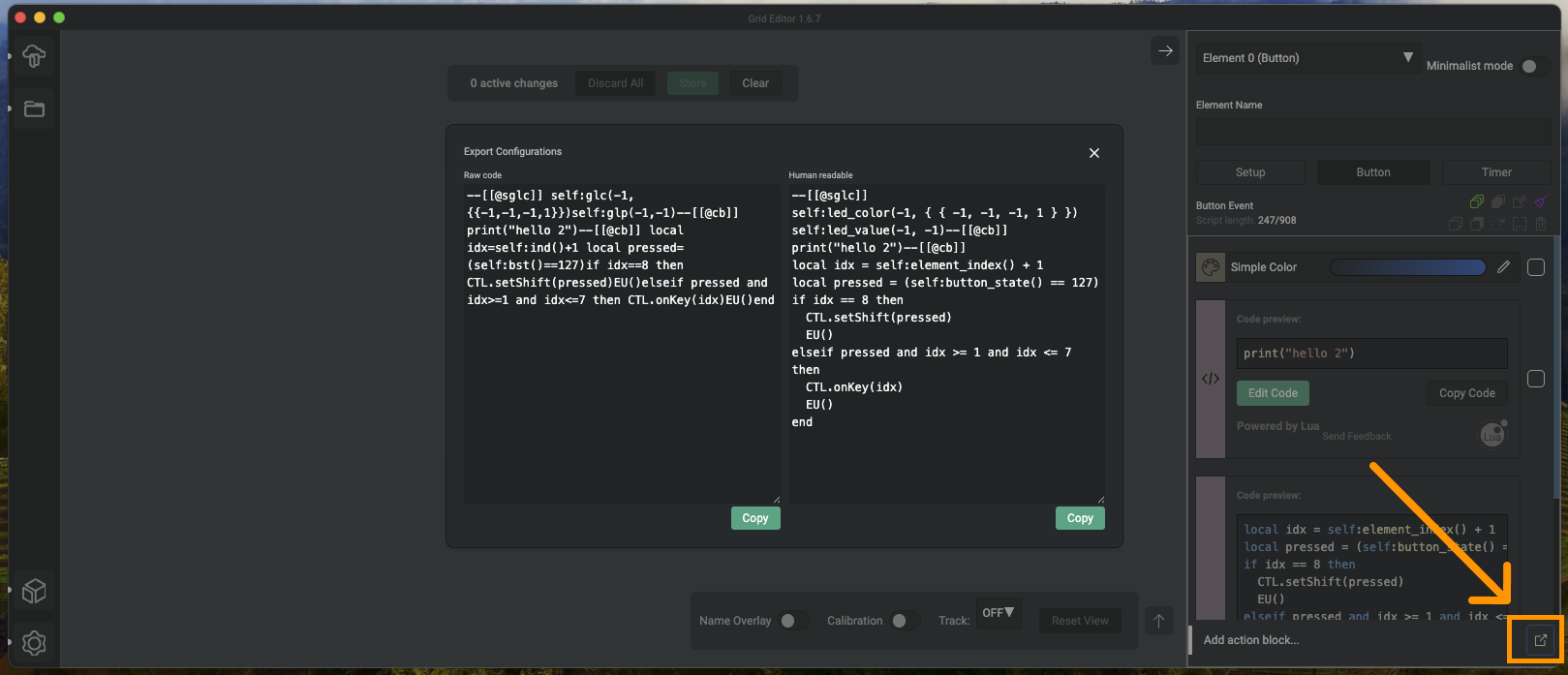
The luaVM on top of the firmware makes possible the full programmability of Grid devices. All action chains under events are lua code pieces. The code active on control elements are visible with the "Export Configurations" button on bottom right of the configiration panel.
The File Manager shows something new: each of these configurations are living in a nested folder structure, each top level folder on a module is a Page, within a "Page folder" there are number of subfolders equivalent in number to the configurable control elements on the focused module. Going deeper, we can identify the configurations for the events.
Why is this interesting? It's a new way how we can see how configurations live on Grid and with time, this development will allow programmers to break out of the original element / event / action view of the Editor.